Crash Bots Group Rewards & Free Loot
Claim the free like/group loot, then stack codes and smart crate opens on top.
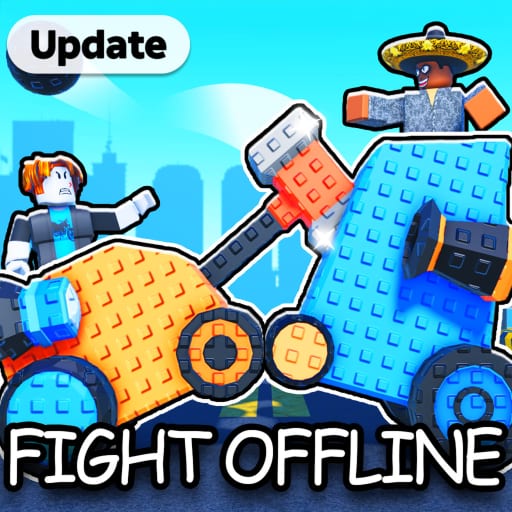
Crash Bots advertises free loot for players who like the experience and join the Stouts Studio Roblox group. Those rewards are easy to skip because they sit outside the garage UI, yet they are some of the cheapest progress you will ever claim. This page explains how to collect group and social rewards, how they interact with codes and game passes, and how to avoid scam “group” links that steal accounts.
Treat social rewards as layer zero of the economy — before Robux, before Shard crates, even before you overthink the builds tier list.
What the game page promises
On the official Roblox experience page for Crash Bots, Stouts Studio calls out:
- Like the game for free loot
- Join the group for free loot
- Follow updates for special codes
Exact loot tables can change with patches, so claim the rewards in-game after you like/join, then verify your inventory and currency counters. Do not assume a screenshot from 2025 still lists the same part.
Official experience link and community pointers live on our wiki links page.
Step-by-step: claim like & group loot
- Open the Crash Bots Roblox page (Place ID
131926755389304). - Favorite / like the experience while logged into the account you play on.
- Open the Stouts Studio community/group page and Join.
- Launch Crash Bots and look for claim buttons, mail, or automatic grants in the lobby Shop/rewards UI.
- If nothing appears, rejoin the server once — group entitlement checks sometimes lag a session.
- Only then redeem active codes.
Doing codes first is fine, but finishing social claims early prevents the “I thought codes were my only freebies” mindset.
Discord vs Roblox group
| Channel | Best for | Risk |
|---|---|---|
| Stouts Studio Roblox group | Free loot entitlements, announcements | Low if you use the official group |
| Official Discord | Fastest code drops, patch chat | Phishing links in DMs |
| Random “Crash Bots group” ads | Nothing good | High — avoid |
Never join a group that asks you to put your password into a Google Form. Real Roblox groups use Roblox’s join button only.
How free loot fits the currency loop
Group and like rewards usually drip parts or soft currency, not a full endgame bot. Stack them with:
- Codes for Gems / Scraps / Shards bursts
- Scrap crates to fill slots (Crates)
- Battle and offline income for Bolts and steadier Scraps (Currencies)
- Optional game passes only after you know your bottleneck
Free loot is an accelerator for the first garage, not a substitute for learning How to Build.
Codes that show up around community pushes
Visit milestones and “thank you” campaigns often ship short-lived codes. When the community spikes likes or visits, check:
- Discord announcements
@l_eiifon X@l_eifon YouTube- This wiki’s codes hub and codes checker
Capped codes (early LEGUP-style drops) vanish for late redeemers even when Discord still shows the string. Redeem immediately.
Game passes are not group rewards
Passes cost Robux. Group loot does not. Mixing them up is a common beginner mistake — see Beginner Mistakes. Buy a pass only when ten battles prove you are Scrap-starved or need a specific income multiplier. The monetization video embedded above is developer context; your wallet decisions should still follow the pass guide.
Console and mobile players
You can like and join groups from the Roblox app on phone or console browsers/apps, then launch Crash Bots. If the claim UI is awkward on a controller, use Controls & Console for navigation tips, then finish claims on mobile if needed.
Trading after free loot
Sometimes group rewards duplicate a part you already own. That duplicate is perfect fuel for Trading — swap into a missing role instead of deleting the spare.
Safety checklist
- Official group only (via wiki links)
- No password forms
- No “free Robux for joining” third parties
- No Discord DMs asking you to verify with a weird bot
- Report impersonation servers that clone Stouts Studio branding
Session order that maximizes free progress
- Like + join group + claim loot
- Redeem all active codes
- Fill empty slots with Scrap crates
- Summon one driver (Drivers)
- Test in offline battles
- Climb live with How to Win
When rewards seem missing
- Wrong account liked the game
- Group join still pending
- You need to rejoin the experience
- Patch moved the claim button — check changelog
- The reward was already claimed on that account
Keep expectations honest
Free loot will not replace a mythic crate spree. It will remove friction from the first hour so you can focus on builds, drivers, and matchups. Combine this page with the guides hub, updates, events, and review when you decide how hard you want to chase the meta.
Crash Bots gives away early progress on purpose. Take it, then spend your attention on the garage decisions that actually win clashes.
Frequently Asked Questions
Quick answers players ask most about Crash Bots.
How do I get free Crash Bots group loot?
Like the Crash Bots Roblox experience, join the official Stouts Studio group, launch the game, and claim any lobby rewards that appear.
Is the Roblox group the same as Discord?
No. The Roblox group grants in-experience entitlements; Discord is best for fast code announcements. Use both, but only official links.
Do group rewards give Robux?
No. Expect in-game parts or currencies. Robux purchases remain separate through Roblox.
Why didn’t my free loot appear?
Confirm you liked and joined on the same account, rejoin the server, and check the changelog if a patch moved claim UI.