Crash Bots Items
Reference pages for the systems your garage and shop revolve around.
The items hub is the encyclopedia layer of Crash Bots Wiki. Guides teach decisions; items pages define the objects those decisions spend.
Browse
- Parts — chassis, weapons, armor roles and how they slot onto your bot
- Drivers — summonable pilots, passive powers, and Gem summon economy
- Game Passes — all seven Robux passes with approximate prices, VIP bundle perks (+10% XP, +10% Bolts, summon discount, bonus Gems), and income multipliers up to +50% Bolts
Use rankings on tier lists when you need priority instead of definitions. Use currencies when you need spending order across Scraps, Gems, Shards, and battle-earned Bolts.
Parts vs drivers vs passes
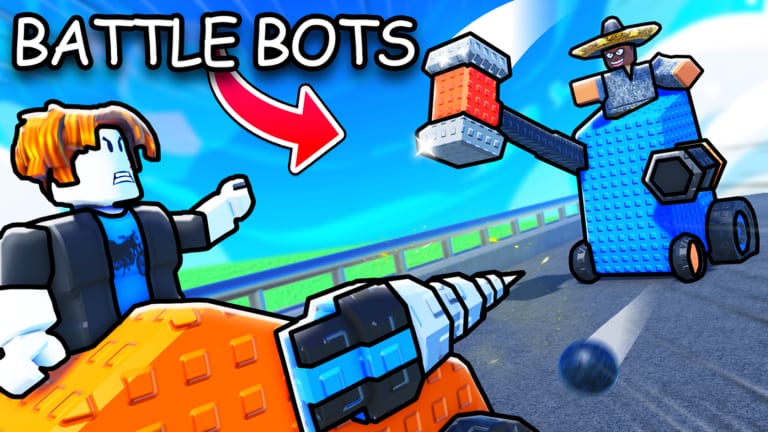
Parts are the physical loadout: every chassis, blade, gun, wheel, and gadget you bolt onto the frame. They come from Scrap and premium crates, show up in clash animations, and determine whether your bot survives the first collision. The parts page explains slot types without repeating the full How to Build workflow.
Drivers are pilots with powers that modify how parts behave — extra shields, burst damage, economy tricks. You summon drivers with Gems, which makes them closer to gacha characters than craftable items. Pair the drivers encyclopedia with the drivers guide before you burn a code payout on random pulls.
Game passes are account-wide Roblox purchases, not inventory objects. They auto-start offline battles (~9 R$), bulk-open crates (~67 R$), or multiply XP and Bolts income (~449–549 R$). Passes never appear in your garage; they change rules around the garage. Read the full price table on Game Passes before buying the expensive Bolts multiplier — VIP often covers casual players.
How items connect to currencies
Scraps and codes bootstrap part collection. Gems and Shards spike driver and premium part quality. Bolts — earned from wins, boosted by passes — feed shop rotations that sometimes sell parts or upgrades Scrap crates cannot. If you are unsure which currency pays for what, start on Currencies then return here for object definitions.
Codes such as du3l and KABOOM jump-start items indirectly by funding crates; they do not grant legendary chassis outright. Redeem on the codes hub or use the codes checker before opening boxes.
When to read items vs guides
Guides answer when and why. Items pages answer what. Example: the crates guide tells you to open cheap Scrap boxes first; the parts page tells you what a chassis slot even means. Example: Game Passes lists Robux costs; How to Win explains why auto-start does not fix PvP losses.
Closing take
Pick a category above, then cross-check with How to Build and the codes hub so definitions turn into garage upgrades — not inventory clutter. After major patches, skim updates in case new parts or pass perks landed.
Frequently Asked Questions
Quick answers players ask most about Crash Bots.
What counts as an item in Crash Bots?
Gameplay objects you equip or purchase: parts, drivers, and optional game passes.
Where should I go to rank items?
Tier list pages rank; items pages explain. Use both.
Do items pages include codes?
No. Codes have their own hub because they expire independently of item definitions.